Solitaire: Big Card Games
Card Games, IncCard
4.6891.00 Reviews
- Version
- 1.3.2
- Installs
- 500.00K
- Age Rating
- Everyone
Screenshots
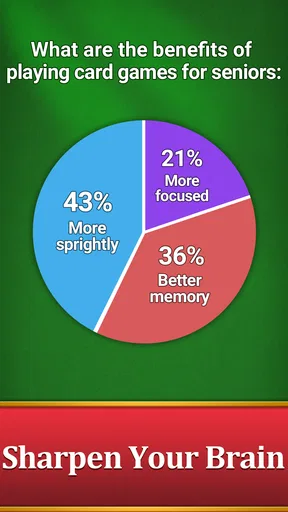
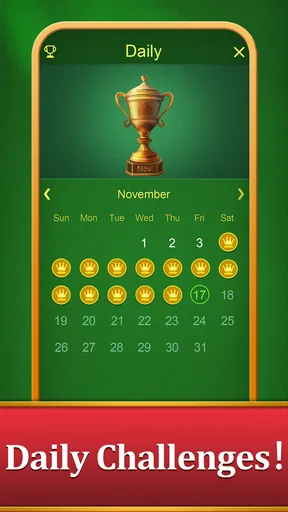
Our Review of Solitaire: Big Card Games
 Analysis by Appyee
I spent time with Solitaire: Big Card Games as a straightforward card game for quiet, low-pressure sessions, and its appeal became clear quickly: it keeps the familiar solitaire experience at the center instead of surrounding it with a complicated interface. The cards are easy to focus on, the pace is yours to control, and a short game fits naturally into a break, a commute, or a relaxed evening.
That simplicity is also the main reason to choose it. This is not a broad collection of competitive card games or a deep strategy title. It is a focused solitaire option from Card Games, Inc, aimed particularly at players who want a comfortable way to play, including seniors and anyone who prefers larger, more readable cards. I found it most enjoyable when I wanted something absorbing without the pressure of timers, opponents, or a long tutorial.
A calm solitaire experience with accessibility at its center
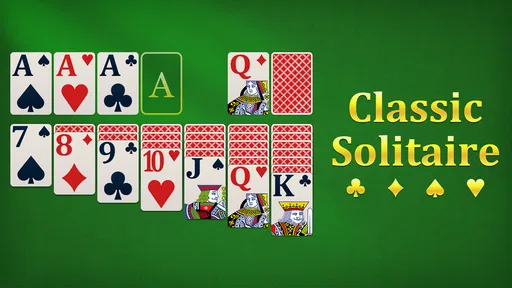
The game belongs to the card category and is free to use. Its presentation is built around the classic solitaire idea: arrange cards, uncover useful moves, and gradually work toward clearing the layout. That familiar structure matters because I did not need to learn a new ruleset before enjoying it. Someone who already knows solitaire can begin immediately, while a less experienced player can understand the objective through the natural flow of the cards.
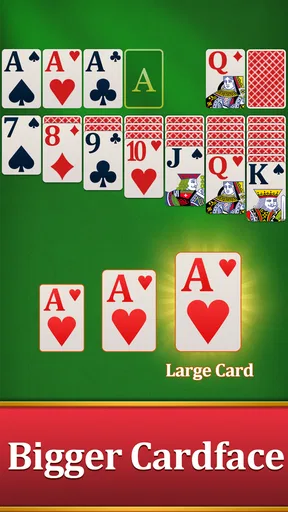
The emphasis on big cards is more than a decorative choice. In a card game, readability affects every decision. If suits, ranks, or card positions are difficult to distinguish, the relaxing nature of solitaire disappears and the player starts fighting the interface. Here, the large-card approach makes the board easier to scan. I especially appreciated that during longer sessions, when small visual details can become tiring.
The strongest reason to try this game is its low-friction visual design. It suits players who want the card layout to remain the main event rather than being distracted by busy menus, excessive effects, or a crowded social layer. That makes it a sensible choice for older players, casual players, and people who simply prefer traditional digital card games.
In everyday use, I can imagine opening it while waiting for an appointment. A single round gives that spare time some shape without demanding complete concentration for a long period. I can also see it working well as a wind-down activity before bed, although anyone who finds puzzle-solving mentally stimulating at night may prefer to use it earlier in the evening.
How the current version feels in practical play
The current version is 1.3.2, and the overall impression is of a mature, focused solitaire product rather than an experimental game trying to do too many things. The experience is easy to approach, which is important for a title intended to be relaxing. I did not feel pushed to master a complex system before I could enjoy a round.
Its age rating is Everyone, matching the clean and broadly accessible nature of the game. The minimum operating system is Android 6.0, so it can suit users with older compatible devices rather than being limited to recent phones. That is useful for families who may be setting up a simple card game on a relative’s existing handset instead of buying a newer device for it.
The game has also reached over 500 thousand installs, with an average rating of 4.6 from around 3.9 thousand ratings and 891 reviews. Those figures suggest that the straightforward approach is connecting with a substantial group of players. I would still treat popularity as a starting point rather than a guarantee, because solitaire preferences vary: some people want a clean traditional board, while others expect daily challenges, several rule variations, or extensive customization.
It was released on September 22, 2023, and the current version gives the project a defined point in its ongoing development. That does not automatically mean every player will notice a dramatic change from an earlier build. What I can say is that the present release is the one to judge when deciding whether the game’s current interface and pace fit your habits.
What the version and release history mean for players
When I look at a simple game such as this, I pay attention to whether updates preserve the central experience instead of adding clutter. A version number like 1.3.2 indicates that the app has moved beyond its initial release, but it does not by itself reveal a particular new feature. I would therefore approach it as a current, maintained version of a focused solitaire game, not as a promise of a large redesign or a major expansion.
For a new player, that is mostly good news. You can install the present build and evaluate the experience as it exists now, without needing to understand a long chain of past changes. For an existing player, the practical question is simpler: does the current card size, layout, and general rhythm remain comfortable? If the answer is yes, incremental version changes should not interfere with the reason you opened it in the first place.
There is a useful trade-off here. A narrowly focused game can feel more stable and less overwhelming than a feature-heavy solitaire package, but it may also offer fewer reasons to return once the basic routine becomes familiar. I would not choose this specifically because of the version number. I would choose it because the current release delivers the kind of uncomplicated card session I want.
Small habits that make the game more enjoyable
My first practical tip is to treat each round as a short exercise in planning rather than immediately making the most obvious move. In solitaire, uncovering a hidden card can be more valuable than placing a card in a foundation at once. I found that pausing for a moment to inspect the whole layout helped me avoid closing off useful sequences.
A second tip is to use the large-card presentation as a scanning advantage. Instead of staring at one stack and reacting move by move, look across the entire board before acting. The clearer visual scale makes it easier to spot a sequence that can be opened or a column that should remain available. This is particularly helpful for players who find small card interfaces tiring.
Third, I would set a natural stopping point. Because solitaire is easy to restart, it is tempting to continue through “one more game” several times. That can be pleasant, but it can also turn a relaxing break into a repetitive habit. Playing a single round during a waiting period, then closing the app deliberately, gives the game a useful place in a daily routine.
For a senior family member, I would introduce it by demonstrating one complete round rather than explaining every possible decision in advance. The familiar rules and prominent cards make learning through play more comfortable. I would also suggest using it in a calm environment at first, because the value of a readable interface is reduced if the player is rushed or distracted.
Where it compares well with other solitaire choices
Compared with a physical deck, this game removes setup and cleanup. There is no need to find a table, separate the cards, or worry about a breeze disturbing the layout. That makes it convenient for small spaces and spontaneous play. The physical deck still wins for people who enjoy handling cards or want a screen-free activity, so I would not call the digital version a replacement for everyone.
Compared with large solitaire collections, its advantage is focus. Many alternatives try to attract players with numerous variants, elaborate themes, achievements, or competitive features. Those additions can provide more variety, but they can also make a basic round feel buried under menus. This game is better suited to someone who wants to open a card game and begin without exploring a catalog first.
On the other hand, a player who needs several solitaire rule sets may find the experience too limited. Likewise, someone motivated by leaderboards, daily targets, or social competition should look for a more feature-rich alternative. I would also steer away from it if your main goal is to learn advanced card strategy through detailed statistics or extensive performance tracking. Its strength is the immediate play experience, not turning solitaire into a long-term competitive program.
Limitations worth considering before installing
The same simplicity that makes the game welcoming can make it feel repetitive. If you play many rounds in one sitting, the core loop may not provide enough change to hold your attention. I enjoyed it more as a regular short activity than as a game I would play continuously for hours.
There is also a difference between “easy to use” and “deeply customizable.” Large cards improve readability, but players who want to adjust every visual detail or build a highly personal playing environment may prefer another app. I would not assume that a senior-friendly design automatically includes every accessibility preference; comfort depends on the individual player, their eyesight, device, and familiarity with touch controls.
The free price makes trying it easy, but free access alone should not determine whether it belongs on your phone. The better question is whether the uncluttered solitaire format matches what you want. If you are looking for a broad entertainment package, this may seem sparse. If you want a familiar card game without an upfront cost, the low commitment is a genuine advantage.
Touchscreen solitaire also has a different feel from physical cards. A tap or drag is convenient, but it does not provide the tactile feedback of picking up a card and placing it on a table. Some players will find the digital interaction faster; others may miss the physical ritual. I see this as a preference issue rather than a flaw, but it is important when deciding between this and a real deck.
Who should choose it, and who should skip it
I would recommend it to someone who wants a calm, recognizable card game with prominent cards and a gentle learning curve. It is especially suitable for casual players, older adults, people using a compatible older Android phone, and anyone who wants a few minutes of mental activity without entering a competitive environment.
It is also a good fit for a shared recommendation. If a friend or relative asks for a simple solitaire game, this is easier to explain than a package filled with modes and settings. You can describe the basic idea, let them try a round, and then see whether the card size and controls feel comfortable on their device.
I would skip it if variety is your main requirement. Players who want multiple card games, elaborate progression, multiplayer competition, or a strong reward system will probably get more value elsewhere. I would also skip it if you are specifically searching for a screen-free pastime, because no amount of visual clarity changes the fact that this is a phone-based experience.
Another important exception is players who dislike repetitive solo games. Solitaire is intentionally self-contained, and this title does not need opponents to work. That is ideal for quiet concentration, but it will not replace the excitement of playing against another person. Knowing that before installing it prevents the common disappointment of expecting a social card table.
What I would watch as the product continues
For future development, I would pay attention to whether new releases preserve the clean presentation that gives the game its identity. Any added options should make the experience more comfortable or useful rather than making the player navigate unnecessary layers before reaching the cards.
I would also watch how the game serves returning players. A focused solitaire title benefits from small improvements that support daily use: clearer interaction, dependable navigation, and thoughtful ways to keep sessions comfortable. Those changes matter more here than flashy additions because the audience is choosing the game for ease and calm.
Existing users should judge updates by their own routine. If you mainly play a quick round during a break, a change is valuable when it keeps that process smooth. If you play longer sessions, pay closer attention to whether the card layout remains readable and whether the interface continues to feel relaxed rather than demanding.
At present, my view is positive but specific. This is not the most ambitious solitaire product, and that is precisely why it works for the right person. Card Games, Inc has a game that puts familiar play and large, readable cards ahead of spectacle. The result is an approachable free option for quiet sessions, especially for seniors and casual players.
I would install it when I wanted a dependable digital deck that could be opened without preparation. I would not install it expecting a deep collection of modes or a competitive community. Choose it for clarity, comfort, and uncomplicated solitaire; choose something else when variety and long-term progression matter more.
Verdict
Strengths of Solitaire: Big Card Games
- Large cards make suits and numbers easy to read.
- Includes several solitaire variations for added replay value.
- Simple controls are suitable for casual players.
- Offline play is convenient when no connection is available.
- Short rounds fit well into quick breaks.
Limitations of Solitaire: Big Card Games
- Some features may be limited behind ads or in-app purchases.
- Ads can interrupt the game between rounds.
- Limited customization may disappoint advanced players.
- Random deals can occasionally feel repetitive.
- May use noticeable battery during extended play sessions.
Other Releases by Card Games, Inc
View All


Similar Picks in This Category
View All
Solitaire - Classic Card Games
MobilityWare4.6

UNO!™
Mattel163 Limited4.3

Spider Solitaire: Card Games
MobilityWare4.6

Solitaire.com - Classic Cards
Tripledot Studios Limited4.7

Plants vs. Zombies™ Heroes
ELECTRONIC ARTS4.1

Hearthstone
Blizzard Entertainment, Inc.4.1
Frequently Asked Questions
What is Solitaire: Big Card Games?
Solitaire: Big Card Games is a mobile card game focused on classic solitaire gameplay with large, easy-to-read cards. It is designed for short or extended sessions and generally offers familiar rules, simple controls, and a relaxed pace. Players can use it to enjoy games such as Klondike-style solitaire while improving concentration and passing time without needing complicated instructions.
Is Solitaire: Big Card Games suitable for beginners and older players?
Yes. The oversized cards and straightforward tap-based controls make Solitaire: Big Card Games particularly accessible to beginners, older users, and anyone who has difficulty reading small text on a phone screen. The familiar solitaire format is easy to understand, while the uncluttered interface helps players focus on arranging cards rather than learning complicated menus or controls.
Can I play Solitaire: Big Card Games offline?
The game may support offline solitaire sessions, which is useful when traveling or when you do not have a reliable internet connection. However, features such as advertisements, daily challenges, cloud synchronization, statistics, or in-app purchases may require connectivity. Before downloading, check the current store description and permissions because offline availability can vary between versions and devices.
Does Solitaire: Big Card Games contain advertisements or in-app purchases?
Like many free-to-download solitaire games, Solitaire: Big Card Games may include advertising and optional purchases. Ads can appear between rounds or while using certain features, while payments may remove advertisements or unlock additional customization and convenience options. Review the Google Play or App Store listing carefully, especially if the game will be used by children or on a shared device.
What devices are compatible with Solitaire: Big Card Games?
Solitaire: Big Card Games is intended for modern Android and iOS smartphones or tablets, but exact compatibility depends on the version available in your region. Check the official store page for the required operating system, download size, and supported devices before installing. Keeping your device software updated can also help prevent performance issues, crashes, or display problems.
Play our best games!


